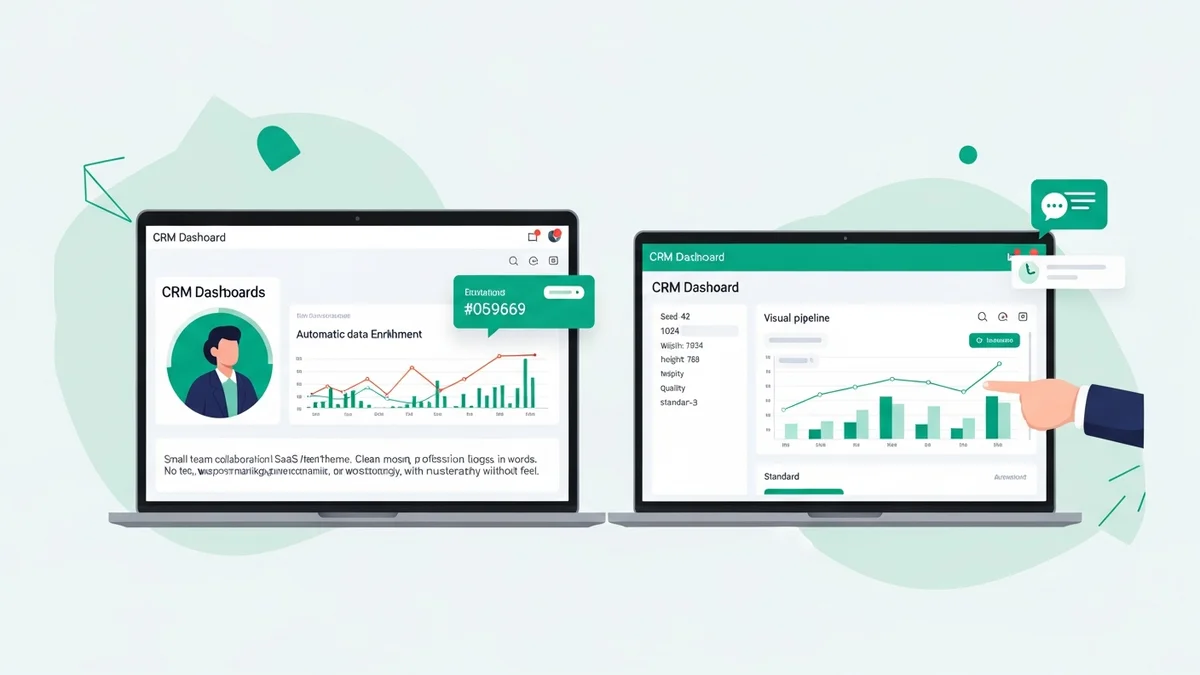

Salesflare vs Pipedrive for Small Teams: Which CRM Actually Fits Your Workflow in 2026?
If you're running a small sales team and trying to decide between Salesflare and Pipedrive, you're comparing two genuinely good tools — but tools built for different kinds of sales teams. The wrong pick won't kill your pipeline, but it will create friction every single day. This comparison cuts through the marketing copy and tells you which one actually makes sense for your situation.
Both tools target small and mid-sized teams. Both are well-regarded for sales pipeline management. But they have meaningfully different philosophies: Pipedrive is an intuitive visual pipeline tool that works well across B2B and B2C contexts, while Salesflare is purpose-built for B2B startups that want their CRM to automate data entry rather than require it. That difference shapes everything from pricing to daily workflows.
Pricing: What You'll Actually Pay
Neither tool offers a free plan. That's the first filter to apply if budget is your primary concern — alternatives like HubSpot CRM offer robust free tiers with unlimited users. If you're committed to a paid tool, here's how the numbers shake out.
| Plan | Salesflare (per user/month, annual) | Pipedrive (per user/month, annual) |
|---|---|---|
| Entry | $24 (Growth) | $14 (Essential) |
| Mid-tier | $49 (Pro) | $24 (Advanced) |
| Professional | $99 (Enterprise) | $49 (Professional) |
| Free plan | No | No |
| Add-ons required? | Rarely | Yes — email automation, LeadBooster extra |
Pipedrive's headline price is lower, but the true cost tends to creep up. Email automation sequences, a web leads chatbot (LeadBooster), and advanced reporting are all paid add-ons on top of the base subscription. For a team of four on Pipedrive's Advanced plan plus LeadBooster, you're often spending more than an equivalent Salesflare Pro setup. Factor in add-ons before assuming Pipedrive is cheaper.
Core Strengths: Where Each Tool Actually Wins
Salesflare: Automation-First for B2B Teams
Salesflare's defining feature is automatic data capture. It pulls contact information, company details, and interaction history from your email, calendar, LinkedIn, and phone — without requiring reps to manually log anything. For a small B2B team where everyone wears multiple hats, this matters enormously. The promise is that your CRM stays up to date even when no one has time to update it.
This makes Salesflare the stronger pick for B2B startups actively selling — teams doing outbound prospecting, managing complex deal cycles with multiple stakeholders, and trying to maintain relationship context across months of touchpoints. The automated enrichment means your contact records are actually useful rather than half-empty placeholders.
The trade-off is specialization. Salesflare is explicitly designed for B2B sales. If your model is B2C, transactional, or heavily volume-based, its strengths aren't as relevant.
Newsletter
Get the latest SaaS reviews in your inbox
By subscribing, you agree to receive email updates. Unsubscribe any time. Privacy policy.
Pipedrive: Visual Pipelines That Anyone Can Use
Pipedrive built its reputation on a dead-simple visual pipeline. Drag-and-drop deal management, clear stage progression, and a UI that sales reps can navigate without training — this is where Pipedrive genuinely excels. It works for both B2B and B2C teams, and the lower entry price makes it accessible for teams that are early-stage and budget-conscious.
The interface is legitimately good. Adoption rates tend to be high because the learning curve is minimal. For a small team that needs something operational quickly — without a dedicated ops person to configure it — Pipedrive's simplicity is a real advantage. It's consistently rated among the best tools for sales pipeline visualization, and that reputation is earned.
Where it falls short is in automation depth at the lower tiers. The Essential plan is genuinely basic. Email sequences and workflow automation require the Advanced plan or above, and some features you'd expect to be included require paid add-ons.
Feature-by-Feature Comparison for Small Teams
| Feature | Salesflare | Pipedrive |
|---|---|---|
| Automatic contact/company enrichment | Yes — core feature | Limited, manual-first |
| Email integration | Gmail + Outlook, auto-logged | Gmail + Outlook, manual logging available |
| Visual pipeline | Yes | Yes — industry-leading UI |
| Email sequences/automation | Included in Growth | Advanced plan or paid add-on |
| LinkedIn sidebar | Yes | Via third-party integration |
| Mobile app | Yes | Yes |
| Reporting/forecasting | Available from Growth | Limited on Essential, stronger on Professional+ |
| Free plan | No | No |
| Best for | B2B startups, automated data capture | B2B + B2C, visual deal management |
How They Compare to the Broader Market
It's worth situating both tools in the wider CRM landscape, because neither is the only option for small teams.
If you're budget-constrained and need to start free, HubSpot CRM offers a free plan with unlimited users — though contact and email limits apply. If you need deep customization with low per-seat cost, Zoho CRM is worth a look, with paid plans starting around $20/user/month and one of the most feature-dense platforms in the market. For teams that want an alternative focused on communication and fast-moving deals, Freshsales starts at $11/user/month with built-in phone and chat. And if your team cares deeply about UI polish and modern design, Attio is increasingly popular among tech-forward B2B startups.
Salesflare and Pipedrive sit in the mid-market of this spectrum — not the cheapest, but both purposefully designed and not bloated with enterprise complexity.
The Real Decision: Who Should Pick Which
Choose Salesflare If:
- You're a B2B startup where reps are too busy to log every interaction manually
- You want the CRM to stay populated without enforcement or nagging
- Your sales cycle is relationship-driven and spans multiple touches over weeks or months
- You use LinkedIn heavily for prospecting and want sidebar access to CRM data
- You'd rather pay slightly more per seat to eliminate administrative overhead
Choose Pipedrive If:
- You need the simplest possible onboarding — people using it on day one without training
- Your team is mixed B2B/B2C or primarily B2C
- Budget is tight and the $14/user entry point is a genuine constraint
- Visual pipeline management is the primary use case, not deep automation
- You want a widely-known tool with a large ecosystem of native integrations
When Neither is the Right Call
If your team is fewer than three people and cost is the primary driver, neither Salesflare nor Pipedrive is the obvious first choice. HubSpot's free tier or Zoho CRM's free plan for up to three users are worth exhausting first. If you're scaling rapidly toward 50+ employees and need enterprise-grade security and role management, you'll eventually outgrow both and want to plan toward Salesforce.
For teams that want a high-velocity, communication-forward approach — where calling and SMS are core to the workflow — Close is worth serious consideration alongside these two.
Verdict: Salesflare vs Pipedrive for Small Teams
The honest answer is that Pipedrive wins on simplicity and price-entry, while Salesflare wins on automation and B2B depth.
For a five-person B2B SaaS startup doing outbound sales and managing relationship-heavy enterprise deals, Salesflare's automatic enrichment and data capture will save hours per week and keep the CRM in a state that's actually useful. The higher per-seat cost pays for itself in reduced admin time within weeks for most teams.
For a small team selling across different customer types — or a founder-led sales motion where simplicity and speed of setup matter more than automation — Pipedrive's visual pipeline and low friction entry point make it the smarter initial choice. You can always add sophistication later. Getting your team to actually use the CRM on day one has real value.
Neither tool is a bad pick. The mistake is choosing based on pricing alone without considering where your team's actual friction is. If manual data entry is the pain, Salesflare. If pipeline visibility and adoption is the pain, Pipedrive.





