
Why Most Startup Sales Pipelines Fail Before They Start
Here's a uncomfortable truth: 69% of B2B salespeople cite an empty or chaotic pipeline as the primary reason they miss quota. That's not a lead generation problem — it's a structure problem. Most early-stage sales teams either skip building a formal pipeline entirely or copy a generic template that doesn't match how their deals actually move.
A well-built sales pipeline is the difference between a sales team that forecasts revenue with confidence and one that's permanently surprised by the end of quarter. This guide walks through how to set one up properly — not theoretically, but in the practical way that high-performing B2B teams actually do it.
Sales Pipeline vs. Sales Funnel: Know the Difference
These terms get used interchangeably, and that confusion costs sales teams real money. They are not the same thing, and treating them as equivalent leads to weak forecasting and missed opportunities.
A sales pipeline is seller-side. It tracks what your team is doing: which deals are in play, what actions are required to advance each one, and how much revenue is at stake. It's a working tool for reps and managers.
A sales funnel is buyer-side. It maps the buyer's journey from awareness through to purchase decision — it's broad at the top because many people enter it, and narrow at the bottom because only a few convert. It's a diagnostic tool for understanding drop-off and volume.
| Dimension | Sales Pipeline | Sales Funnel |
|---|---|---|
| Perspective | Seller / rep actions | Buyer / prospect journey |
| Primary use | Forecasting, deal management | Lead volume, conversion diagnosis |
| Shape | Linear stages | Wide-to-narrow |
| Who uses it | AEs, sales managers | Marketing, demand gen teams |
| Key metric | Deal velocity, weighted value | Stage conversion rates |
The funnel tells you how many leads you need. The pipeline tells you whether your team is actually closing them. Build both, but don't confuse them when you're running pipeline reviews.
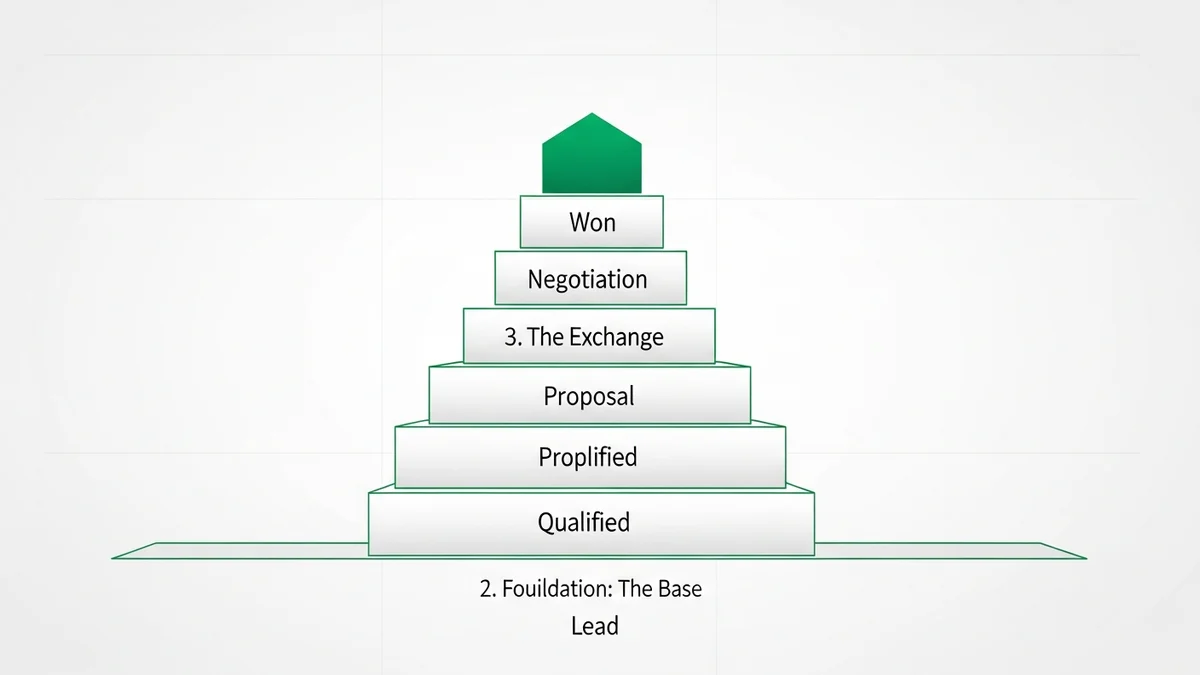
The 6 Core Pipeline Stages (And How to Customize Them)
Generic pipeline templates fail startups because they're designed for processes that don't match the actual sales motion. That said, most B2B pipelines share a common skeleton. Here's the foundational structure — with the honest caveat that you should modify every stage to reflect your specific buying behavior, not what a template says it should be.
Stage 1: Prospecting / Suspect
This is the top of the pipe — potential customers who fit your ideal customer profile but haven't engaged yet. The key discipline here is being selective. Every rep wants a full pipeline, but a pipeline full of suspects who will never buy is just noise. Define clear qualification criteria before a prospect enters this stage.
Stage 2: Qualified Lead
The prospect has shown intent or fits your criteria tightly enough to warrant outreach. This stage gets corrupted when teams add leads without a decision-maker contact, a defined pain point, or any evidence of budget authority. If you can't answer who the economic buyer is, the deal doesn't belong here.
Stage 3: Discovery / Needs Analysis
You've had a real conversation. You understand the problem they're trying to solve, the timeline they're working against, and who else is involved in the decision. This stage should gate on buyer commitment, not completed tasks on your side. A demo delivered to someone who isn't a decision-maker doesn't advance a deal — it wastes time.
Stage 4: Proposal / Presentation
A formal solution has been presented. The key discipline at this stage is honesty: is this prospect actually evaluating your solution, or did you send a proposal into a black hole? Many deals that look active here are already dead. Pipeline reviews should challenge every deal sitting in this stage for more than two weeks without a documented next step.
Stage 5: Negotiation / Commitment
Commercial terms are being discussed. If a deal reaches here, your close rate should be high. If it's not, the problem is usually that deals are advancing to this stage before real commitment exists — pushing prospects forward to hit stage KPIs rather than actual buyer progression.
Newsletter
Get the latest SaaS reviews in your inbox
By subscribing, you agree to receive email updates. Unsubscribe any time. Privacy policy.
Stage 6: Closed / Won or Lost
Every closed deal, won or lost, is data. Lost deals especially are the most underused asset in pipeline management. Tracking why deals are lost — by stage, by competitor, by objection — is how you fix the pipeline at the root rather than just adding more leads at the top.
How to Build Your Pipeline: A Step-by-Step Setup
Step 1: Start with Your Revenue Goal, Not Your Process
The most common mistake is building a pipeline by mapping existing activities into stages. The right approach is to work backward from revenue. If you need $500K in new ARR this quarter, and your average deal size is $25K, you need 20 closed deals. If your close rate from qualified opportunity to close is 25%, you need 80 qualified opportunities in the pipe. That math drives your prospecting targets — not the other way around.
Step 2: Define Stage Exit Criteria — Not Entry Criteria
Most pipelines define what needs to happen for a deal to enter a stage. Better pipelines define what must be true for a deal to leave a stage. Exit criteria are behavioral gates that require buyer commitment, not just seller activity. "Proposal sent" is a seller action. "Prospect confirmed evaluation timeline and next steps" is a buyer commitment. Build your stages around the latter.
Step 3: Choose a CRM That Fits Your Motion
Your pipeline is only as useful as the tool you build it in. For most startups, the choice isn't about features — it's about whether the CRM will actually get used. A tool with 80% adoption and basic functionality beats a tool with 20% adoption and enterprise features every time.
Pipedrive is purpose-built for pipeline management and remains one of the strongest options for sales-led startups. Its visual pipeline interface makes stage management intuitive, and the deal rotting feature automatically flags deals that haven't moved in a set number of days — which is exactly the kind of automation that prevents pipeline bloat.
HubSpot CRM works well for teams that want pipeline management connected directly to their marketing activity. The free tier is genuinely capable, and the deal stage customization is straightforward. The tradeoff is that as your team grows, costs can scale quickly.
For teams that prioritize speed and inside sales, Close is worth evaluating seriously. It's built around communication — calls, emails, SMS — with pipeline management layered on top, rather than the other way around. That makes it particularly strong for outbound-heavy motions where pipeline velocity matters more than complex deal tracking.
Step 4: Clean Your Pipeline Before You Scale It
Adding more leads into a broken pipeline makes the problem worse, not better. Before you focus on volume, audit what's already in the pipe. Remove every deal that has no defined next step, no active decision-maker contact, and no agreed timeline. These "ghost deals" inflate your pipeline coverage number and corrupt your forecasting. A smaller, cleaner pipeline is always more valuable than a large, optimistic one.
Step 5: Build a Weekly Pipeline Rhythm
Pipelines decay without maintenance. The teams that consistently hit quota run pipeline reviews on a fixed cadence — same agenda, same questions, same criteria every week. The agenda doesn't need to be complex: Which deals advanced? Which deals stalled? What's the next committed action on every deal above a certain value threshold? Ritual beats rescue missions.
The Metrics That Actually Tell You If Your Pipeline Is Healthy
Vanity metrics destroy pipeline management. Pipeline coverage (total pipeline value divided by quota) is the most abused metric in sales — a 3x coverage ratio means nothing if 60% of the pipeline is deals that haven't moved in 45 days. Focus on metrics that reflect real deal health:
Pipeline Velocity
The speed at which deals move through your pipeline, measured in days per stage. If deals consistently stall in one stage, that's where your process is broken. Fix the stage, not the reps.
Stage Conversion Rate
What percentage of deals advance from each stage to the next? If your Stage 2 to Stage 3 conversion is 15% but your Stage 4 to Stage 5 conversion is 80%, you have a qualification problem, not a closing problem. The data tells you where to focus coaching.
Weighted Pipeline Value
Raw pipeline value is almost always overstated. Weighted pipeline value multiplies each deal's value by the historical close probability at that stage. It's a less exciting number than total pipeline, but it's a more honest forecast. If your CRM doesn't support this natively, it should be one of your criteria when evaluating tools like Salesforce or Zoho CRM, both of which offer probability-weighted forecasting.
Average Deal Size and Age
A deal that's been in Stage 3 for 90 days on a product with a typical 30-day sales cycle is not a pipeline opportunity — it's a case study in wishful thinking. Set maximum age thresholds by stage and enforce them during reviews. Deals that exceed those thresholds should be moved to a nurture sequence, not left to age in the active pipeline.
Using Your CRM as a Strategic Tool, Not a Logging System
The most common reason pipelines fall apart isn't process design — it's CRM adoption. When reps experience their CRM as administrative overhead, they stop updating it consistently, and your pipeline data becomes unreliable. When the data is unreliable, managers stop trusting it, and reviews become guesswork.
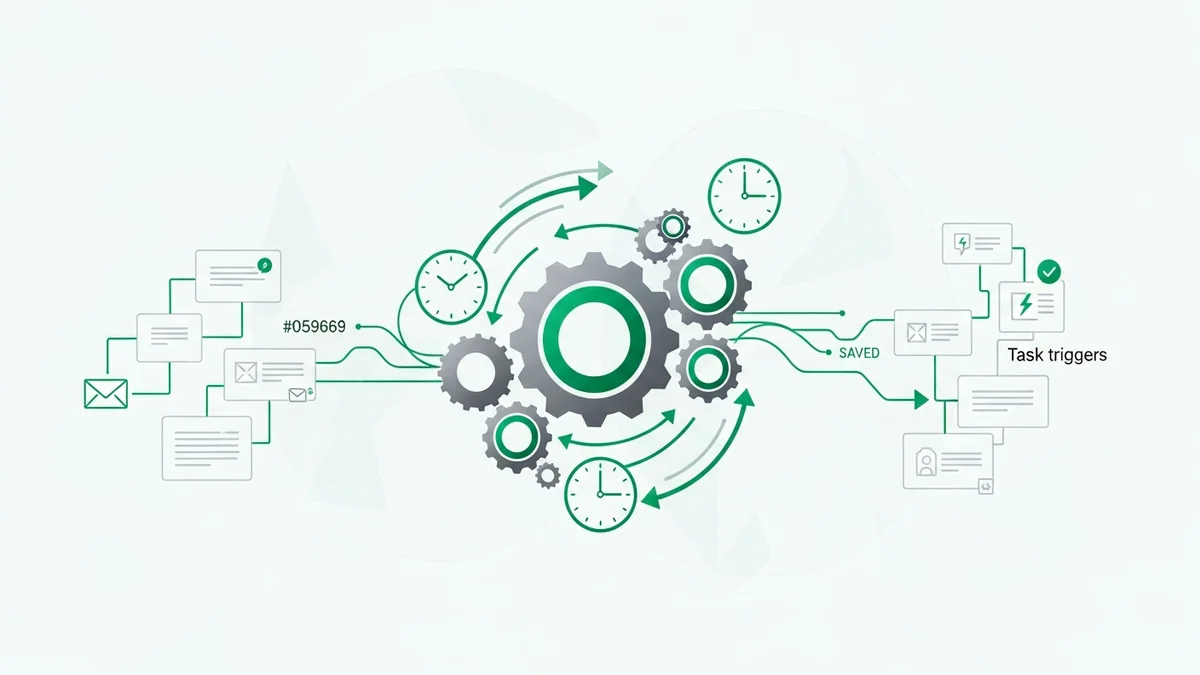
The fix isn't discipline — it's tool selection. Your CRM should make it easier for a rep to understand where to spend their time, not harder. Automation that handles follow-up reminders, deal stage alerts, and activity logging reduces the administrative burden while keeping data current.
Salesflare takes an interesting approach here — it pulls data from email, calendar, and LinkedIn automatically, reducing the manual logging that kills adoption for small teams. For early-stage startups where every rep is also doing their own admin, that kind of automation can be the difference between a CRM that gets used and one that doesn't.
ActiveCampaign sits at the intersection of pipeline management and marketing automation, which makes it a strong choice for teams where leads are being nurtured through sequences before they hit the sales pipeline. The deal management is solid, and the automation capabilities mean that stage transitions can trigger follow-up actions without manual intervention.
For teams that want a more modern, flexible data model, Attio is worth a look. It's particularly strong for startups that don't fit traditional B2B sales patterns — its object model is customizable enough to reflect complex relationships without requiring enterprise-level configuration overhead.
The Bottom Line: Discipline Beats Optimism
The research is clear on what separates high-performing pipeline teams from the rest: it's not the number of leads, it's not the sophistication of the CRM, and it's not the size of the sales team. It's the discipline to forecast honestly, to define stages around buyer commitment rather than seller activity, and to maintain a consistent review cadence that keeps data clean and teams accountable.
Build your pipeline around your actual sales process. Remove deals that don't meet your qualification criteria. Pick a CRM your team will actually use. Review it every week with the same rigor. Those four habits, done consistently, will outperform any amount of pipeline volume built on wishful thinking.
The best pipeline isn't the biggest one — it's the most accurate one.