
Zoho CRM Integrations: What You Actually Get (and What You Don't)
Zoho CRM has built a reputation as the value-first alternative to enterprise CRMs — and when it comes to integrations, that same philosophy plays out across the board. With 90+ native connectors, a robust API, and tight links to Zoho's own business suite, it covers a lot of ground. But "covers a lot of ground" isn't the same as "does everything well." This review cuts through the marketing noise to tell you exactly what Zoho CRM's integration ecosystem looks like in practice, who it's right for, and where it falls short.
Zoho CRM Integration Architecture: How It's Built
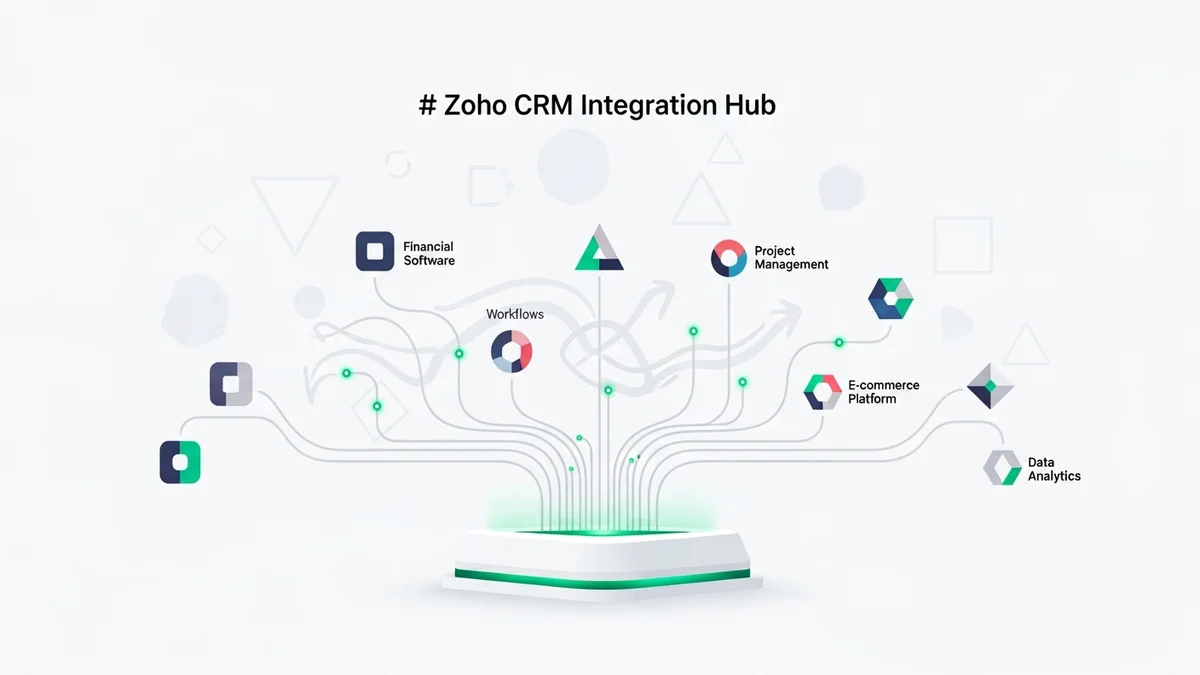
Zoho CRM's integration story runs on three layers: native Zoho-to-Zoho connections, third-party app integrations via Zoho Marketplace and Zapier/Make, and a developer API for custom builds. Each layer serves a different use case, and understanding which one you'll rely on matters more than the headline connector count.
The Zoho One Ecosystem Advantage
The most powerful integrations in Zoho CRM aren't with outside tools — they're with Zoho's own products. Zoho Mail, Zoho Books (accounting), Zoho Desk (support ticketing), Zoho Campaigns (email marketing), Zoho Analytics, and Zoho Inventory all connect natively without middleware. If you're already running other parts of your business on Zoho, the CRM becomes significantly more powerful.
A 15-person sales team migrated from HubSpot CRM to Zoho Professional and paid roughly €525/month for more functionality than they had at €450/month on HubSpot — largely because Zoho's suite eliminated three separate tool subscriptions. That's the integration play Zoho is making: replace the stack, not just plug into it.
Zoho DataPrep and AI-Powered Data Pipelines
Zoho's DataPrep module expanded to 90+ connectors in 2025, adding Salesforce, HubSpot, BigCommerce, Xero, Mixpanel, and Google Analytics. The 2025 update also introduced MCP (Model Context Protocol) server integration, meaning data pipelines can now be controlled via natural language prompts from AI tools like Claude and Cursor. Pipeline run times dropped from 54 minutes to 34 minutes after a storage optimization update, with storage usage cut by 70%. For data-heavy teams, this is a legitimate differentiator.
Third-Party Integrations via Marketplace
Zoho Marketplace lists 800+ extensions covering categories like telephony (RingCentral, Twilio), e-commerce (Shopify, WooCommerce), accounting (QuickBooks, Xero), and productivity (Google Workspace, Microsoft 365). Quality varies across these integrations — the Shopify and Google Workspace connectors are well-maintained, while some smaller integrations are community-built and inconsistently updated. Zapier and Make (formerly Integromat) fill the gaps, giving access to thousands of additional tools through no-code automation.
Pricing: Where Zoho Wins Outright
Before comparing integrations to competitors, the pricing context matters because it changes what you're actually evaluating.
| Plan | Monthly Price (per user) | Annual Price (per user) | Key Integration Features |
|---|---|---|---|
| Free | $0 | $0 | Basic integrations, limited to 3 users |
| Standard | $20 | $14 | Email integration, workflow automation, mass email |
| Professional | $35 | $23 | AI assistant (Zia), advanced analytics, custom modules |
| Enterprise | $50 | $40 | Full API access, multi-currency, territory management |
| Ultimate | $65 | $52 | Advanced BI (Zoho Analytics), enhanced AI features |
At $20/user/month on the Standard plan, you get workflow automation and email integration that Salesforce reserves for plans 5-10x the price. The Professional tier at $35/month includes Zia, Zoho's AI sales assistant, which flags anomalies in your pipeline, suggests the best time to contact leads, and automates routine data entry — features typically found in enterprise-grade tools.
Key Integration Features, Tested
Email and Calendar Sync
Zoho CRM syncs bidirectionally with Gmail, Outlook, and Zoho Mail. The Gmail integration logs emails automatically, links conversations to contact records, and tracks open/click data natively on Professional plans and above. Calendar sync with Google Calendar and Microsoft Calendar works reliably for scheduling follow-ups and flagging overdue tasks. One practical limitation: shared inbox support is less polished than what Close offers, where the entire inbox experience is built into the CRM from the ground up.
Telephony Integrations
Newsletter
Get the latest SaaS reviews in your inbox
By subscribing, you agree to receive email updates. Unsubscribe any time. Privacy policy.
Zoho CRM has a native built-in telephony feature called Zoho PhoneBridge that connects with 50+ telephony providers including Twilio, RingCentral, Aircall, and Amazon Connect. Calls are logged automatically, recordings can be attached to contact records, and click-to-dial works from within any contact or lead page. This is a meaningful advantage over Pipedrive, which requires a separate add-on for similar functionality.
Marketing Automation Connections
The native Zoho Campaigns integration pushes CRM segments directly into email campaigns and syncs engagement data back — open rates, clicks, and unsubscribes update the CRM contact record automatically. For teams already on ActiveCampaign, Zoho's native equivalent covers most of the same ground without an extra subscription. The integration with Google Ads allows you to track which campaigns generate leads and calculate cost-per-acquisition at the deal level, available from the Professional plan.
API and Custom Integrations
Zoho CRM's REST API is well-documented and available on all paid plans. Enterprise and Ultimate tiers unlock higher API call limits — 100,000 API calls per day on Enterprise, compared to 5,000 on Standard. Custom functions (server-side code executed on workflow triggers) are available from Enterprise upward, enabling more sophisticated automation logic than standard point-and-click workflows allow. Developers familiar with Python or JavaScript can extend the CRM significantly at the Enterprise tier.
Real Pros and Cons From Actual Users
Pros
- Ecosystem depth at low cost: Teams that adopt Zoho One (the all-apps bundle) replace 10-15 SaaS tools with a single vendor. The integration quality between Zoho's own products is significantly better than what you get connecting disparate third-party tools.
- AI features on mid-tier plans: Zia (Zoho's AI assistant) provides lead scoring, deal predictions, and anomaly detection starting at Professional ($35/month). Competitors typically gate these features behind enterprise contracts.
- 90+ DataPrep connectors with MCP support: The 2025 addition of Model Context Protocol integration is genuinely forward-looking for teams building AI workflows into their data operations.
- Telephony built-in: PhoneBridge support for 50+ providers without a separate subscription is a practical cost-saver for inside sales teams.
- Flexible automation: Blueprint (Zoho's process management tool) enforces sales stage progression rules at a granular level that most CRMs don't match without custom development.
Cons
- Interface is behind the times: Testers consistently note the UI feels like 2015-era SaaS. Training a 5-person team takes a full week to reach basic workflow competency — compared to a day or two for Pipedrive or Attio.
- Third-party integration quality is uneven: Marketplace extensions range from well-maintained to abandoned. Unlike HubSpot's App Marketplace (where integrations are vetted more consistently), Zoho's marketplace requires more due diligence before committing to a third-party connector.
- API limits on lower tiers are tight: 5,000 API calls/day on Standard is restrictive for any automation-heavy workflow. Teams needing serious API throughput will need to budget for Enterprise.
- Mobile app lags behind desktop: The mobile experience is functional but clunky — a real limitation for field sales teams who live on their phones.
- Steep initial configuration: Getting integrations properly configured — particularly custom modules talking to external tools — requires meaningful setup time. Out-of-the-box, it doesn't feel as ready-to-use as Freshsales.
Zoho CRM vs. Top Competitors on Integrations
| Feature | Zoho CRM (Professional) | HubSpot CRM (Pro) | Pipedrive (Advanced) | Salesforce (Essentials) |
|---|---|---|---|---|
| Price per user/month (annual) | $23 | $90+ | $27.90 | $25 |
| Native app ecosystem | 50+ Zoho apps | HubSpot suite only | Limited native apps | Salesforce suite |
| Marketplace integrations | 800+ | 1,500+ | 400+ | 3,000+ (AppExchange) |
| Built-in telephony | Yes (50+ providers) | Yes (limited) | Add-on required | Add-on required |
| API calls/day (mid-tier) | 50,000 | 500,000 | 80,000 | 15,000 |
| AI features on mid-tier | Yes (Zia) | Yes (Breeze) | Yes (basic) | No (Einstein is add-on) |
| Email marketing native | Yes (Zoho Campaigns) | Yes | No | Requires Marketing Cloud |
Against HubSpot CRM, Zoho wins on price and ecosystem breadth but loses on marketplace maturity and UX polish. HubSpot's 1,500+ App Marketplace integrations are more consistently maintained, and the native experience between HubSpot's own tools (Marketing Hub, Service Hub) is smoother. For budget-constrained startups, though, Zoho Professional at $23/user/year delivers more functional capability per dollar.
Against Pipedrive, Zoho wins on native integrations and AI features at comparable price points. Pipedrive's interface is cleaner and onboarding is faster, but for teams that need telephony, email marketing, and accounting all connected, Zoho requires fewer third-party subscriptions. Pipedrive at $27.90/user/month (Advanced, annual) still requires Zapier for many integrations Zoho handles natively.
Against Salesforce, Zoho loses on AppExchange depth (3,000+ vs. 800+) and enterprise-grade customization, but wins on total cost of ownership for teams under 50 users. Salesforce Einstein AI, comparable to Zia, requires a separate license that can double the per-user cost. For startups that don't need Salesforce's scale, Zoho Enterprise at $40/user/year is a fraction of the cost.
Who Should Buy Zoho CRM (and Who Shouldn't)
Buy Zoho CRM if you:
- Are building on the Zoho ecosystem already (or plan to) — the native integrations compound in value as you add Desk, Books, and Campaigns
- Run an inside sales team that needs built-in telephony without a separate tool budget
- Need AI-powered lead scoring and pipeline forecasting but can't justify enterprise pricing
- Have technical capacity to configure integrations — Zoho rewards teams willing to invest setup time
- Are migrating from Salesforce or HubSpot and need feature parity at a lower price point
Look elsewhere if you:
- Need fast onboarding — Pipedrive or Freshsales will get your team productive in days, not weeks
- Rely heavily on the Salesforce AppExchange ecosystem, where Zoho's 800-connector marketplace can't compete
- Are a solo founder or team under 3 people — HubSpot's free tier or Salesflare offers a more right-sized experience
- Prioritize mobile-first workflows — Zoho's mobile app trails competitors significantly
- Need a modern, design-forward interface for a sales team with low tolerance for tool complexity
Verdict
Zoho CRM's integration story is fundamentally about ecosystem consolidation at a price that makes CFOs happy. The native connections between Zoho's own products are the real value driver — teams that go all-in on Zoho One can legitimately replace 10+ SaaS subscriptions with one vendor relationship. The 90+ DataPrep connectors, PhoneBridge telephony support, and Zia AI features on mid-tier plans all punch above their price class.
The honest caveat is that Zoho requires a configuration investment that more modern tools don't. If your team has a dedicated ops person or a technically capable founder willing to spend a week setting things up properly, the payoff is a deeply integrated CRM that costs a fraction of what Salesforce or HubSpot charge for equivalent functionality. If you need a tool that works out of the box on day one, Zoho will frustrate you.
For startups with 10-100 employees who are cost-conscious, process-oriented, and either already using Zoho products or willing to migrate their stack, Zoho CRM on the Professional plan ($23/user/month billed annually) is one of the strongest value propositions in the market. For everyone else, the integration depth is real — but the usability gap is just as real.





