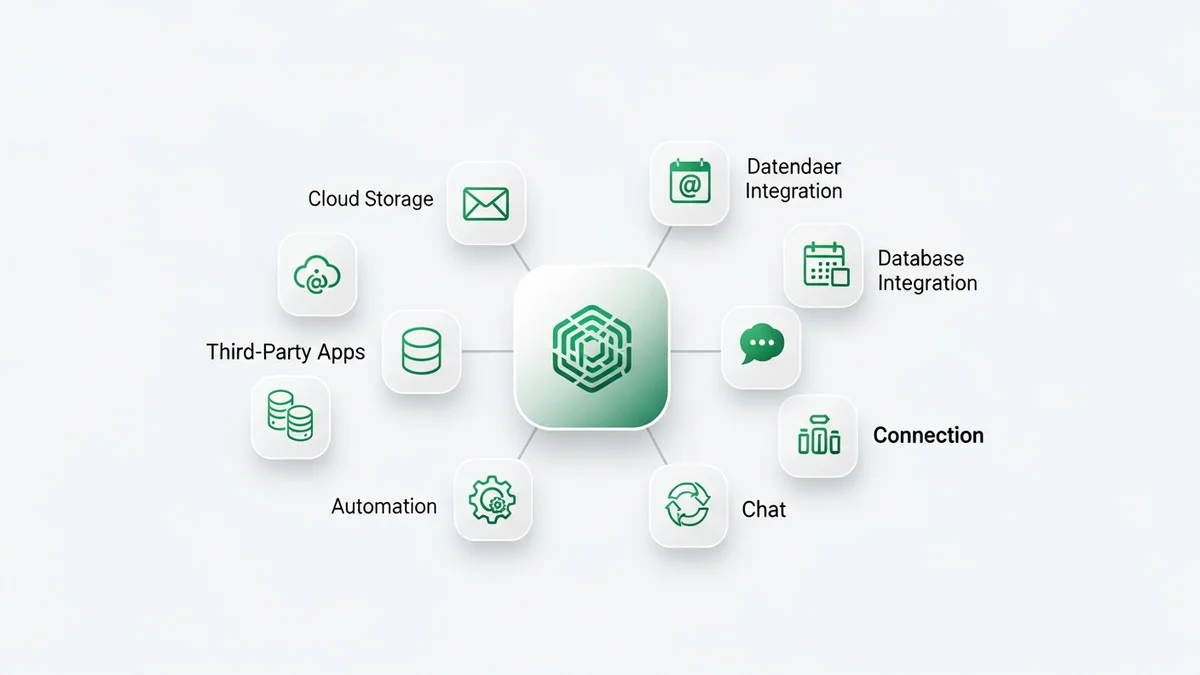
Salesforce is the undisputed leader in CRM integrations, offering the largest app ecosystem in the industry. With over 7,000 apps on AppExchange, a powerful REST and SOAP API, and native connections to tools like Slack (which Salesforce owns), the platform can integrate with virtually any business tool. But for startups, navigating this massive ecosystem can be overwhelming. This guide breaks down the most valuable Salesforce integrations for startup teams in 2026, how to use AppExchange effectively, and when to build custom integrations versus using off-the-shelf solutions.
Salesforce Integration Capabilities
Salesforce was built from the ground up as an integration platform. Unlike CRMs that added integrations as an afterthought, Salesforce treats connectivity as a core feature. Here is what sets it apart:
- AppExchange marketplace: Over 7,000 pre-built apps and integrations, ranging from free tools to enterprise solutions. This dwarfs every other CRM marketplace by a factor of ten or more.
- REST and SOAP APIs: Full programmatic access to every Salesforce object, including custom objects. The API supports bulk operations, streaming events, and metadata management.
- Flow Builder: A native low-code automation tool that lets you build integrations and workflows without writing code. Flow can trigger on record changes, scheduled events, or platform events.
- MuleSoft: Salesforce acquired MuleSoft, an enterprise integration platform, giving customers access to pre-built connectors for SAP, Oracle, Workday, and hundreds of other enterprise systems.
- Slack: As a Salesforce-owned product, Slack integration is deeply embedded. You can search CRM records, share deal updates, and trigger workflows directly from Slack channels.
For a full overview of the platform, read our Salesforce review which covers pricing, features, and where it fits in the startup CRM landscape.
Top Salesforce Integrations for Startups
While enterprise companies leverage hundreds of integrations, startups should focus on the tools that have the highest impact on sales velocity and operational efficiency. Here are the top picks for 2026:
- Slack: The native Slack integration lets your team receive deal alerts, search Salesforce records, and create tasks without leaving the messaging app. Since Salesforce owns Slack, this integration is the tightest in the ecosystem.
- DocuSign: Automate contract signing directly from Salesforce opportunities. When a deal reaches the proposal stage, generate a document, send it for signature, and update the deal status automatically when signed.
- Gong: AI-powered conversation intelligence that records, transcribes, and analyzes sales calls. The Salesforce integration pushes call insights, deal risks, and coaching recommendations directly into opportunity records.
- ZoomInfo: Enrich your Salesforce contacts and accounts with verified firmographic and technographic data. ZoomInfo fills in missing phone numbers, email addresses, company size, and technology stack information.
- Outreach: Sales engagement platform that automates email sequences, call cadences, and meeting scheduling. The Salesforce integration syncs all activity data bidirectionally, so your CRM always reflects the latest engagement.
- PandaDoc: Create proposals, quotes, and contracts using Salesforce data, then track views and collect e-signatures. PandaDoc pulls contact and deal details automatically, eliminating copy-paste errors.
- Mailchimp: Sync leads and contacts between Salesforce and Mailchimp for targeted email campaigns. Use Salesforce segments to trigger drip campaigns and measure marketing ROI alongside sales data.
- Calendly: Embed scheduling links in emails and let prospects book meetings that auto-create events and contacts in Salesforce. Reduces the back-and-forth of meeting scheduling.
- QuickBooks: Connect your accounting data to your CRM. Sync invoices, payments, and customer records between Salesforce and QuickBooks for a unified view of revenue.
- Zapier: For tools without native Salesforce connectors, Zapier bridges the gap with connections to over 8,000 apps. Create automated workflows between Salesforce and any tool in your stack.
Newsletter
Get the latest SaaS reviews in your inbox
By subscribing, you agree to receive email updates. Unsubscribe any time. Privacy policy.
AppExchange: The Salesforce Marketplace
AppExchange is the world's largest CRM marketplace and a key reason startups choose Salesforce for long-term scalability. Understanding how to navigate it effectively saves time and money.
What is AppExchange? AppExchange is Salesforce's official marketplace for third-party apps, components, and consulting services. Every app goes through a security review before listing, which means you can trust that certified apps meet Salesforce's data security standards.
Types of solutions available:
- Managed packages: Full applications that install directly into your Salesforce org. Examples include CPQ tools, analytics dashboards, and document generators.
- Flow solutions: Pre-built automation components that plug into Salesforce Flow Builder. These let you extend your workflows without code.
- Lightning components: UI elements that you can add to Salesforce pages. Think of them as widgets for dashboards, record pages, and home screens.
- Consulting services: Over 1,000 certified consulting partners who can build custom integrations, handle data migrations, and manage implementation projects.
How to evaluate apps: Check the number of reviews, the average rating, and whether the app is Salesforce Security Reviewed (look for the checkmark badge). Free apps are great for testing, but paid apps often provide better support and update frequency. Always install in a sandbox environment before deploying to production.
API and Custom Integration Options
For startups with technical teams, Salesforce's API is one of the most comprehensive in the SaaS industry. Here is an overview of your custom integration options:
REST API: The most commonly used API for modern integrations. It supports JSON and provides endpoints for CRUD operations on any Salesforce object, including custom objects. Rate limits vary by edition, with Enterprise getting 100,000 API calls per 24 hours.
Bulk API: Designed for large data operations like importing thousands of records or syncing data warehouses. Bulk API processes data asynchronously in batches, making it efficient for ETL workflows.
Streaming API: Enables real-time event-driven integrations. When a record changes in Salesforce, Streaming API pushes a notification to your connected system instantly, without polling.
Apex and Lightning: For deeply embedded integrations, Salesforce's proprietary Apex language (similar to Java) lets you write server-side logic that executes within the Salesforce platform. Lightning Web Components handle the front-end.
MuleSoft Anypoint: If you need to connect Salesforce to legacy systems like SAP, Oracle, or on-premise databases, MuleSoft provides enterprise-grade integration with pre-built connectors and data transformation tools.
Custom integrations are powerful but come with development and maintenance costs. For most startups, a combination of AppExchange apps and Zapier workflows covers 90% of integration needs without writing code.
Salesforce vs HubSpot: Integration Comparison
The most common comparison startups face when evaluating CRM integrations is Salesforce versus HubSpot. Here is how they stack up:
| Feature | Salesforce | HubSpot |
|---|---|---|
| Marketplace size | 7,000+ apps | 1,600+ apps |
| Native API | REST, SOAP, Bulk, Streaming | REST API |
| Low-code automation | Flow Builder | Workflows (Operations Hub) |
| Enterprise integration | MuleSoft (owned) | Third-party (Zapier, Workato) |
| Free plan integrations | Limited on Free Suite | Most integrations on free plan |
| Custom objects | Unlimited (all editions) | Enterprise tier only |
Salesforce wins on depth, customization, and enterprise connectivity. HubSpot wins on ease of use, free tier access, and faster setup for standard integrations. For startups that anticipate complex, multi-system architectures, Salesforce is the safer long-term bet. For teams that want plug-and-play simplicity, HubSpot delivers faster time to value.
For a deeper dive into this comparison, see our Salesforce vs HubSpot for startups analysis.
Setting Up Your First Salesforce Integration
Here is a practical walkthrough for connecting your first integration in Salesforce:
- Identify your highest-impact integration. For most startups, this is email (Gmail or Outlook), calendar, or Slack. Start with one integration and get it working before adding more.
- Visit AppExchange and search for the tool. Check reviews, security certification, and pricing. Install the free trial version if available.
- Install in a sandbox first. Salesforce provides sandbox environments for testing. Never install untested apps in your production org.
- Configure permissions. Assign the integration's permission set to the users who need access. Salesforce's permission model is granular, so you can control exactly who sees what data from integrated tools.
- Map your fields. Most integrations require you to map fields between Salesforce and the external tool. Take time to get this right, as incorrect mappings create data quality issues that compound over time.
- Test with real scenarios. Create a deal, send an email, or log a call and verify the data flows correctly between systems. Check both directions if the sync is bidirectional.
- Document the setup. Write down what was configured, which fields map where, and any custom logic. This documentation saves hours when troubleshooting or onboarding new team members.
For teams exploring simpler CRM options with fewer integration requirements, our simple CRM guide covers platforms that work out of the box with minimal configuration.
Conclusion
Salesforce offers the most powerful integration ecosystem in the CRM industry. With 7,000-plus apps on AppExchange, world-class APIs, and ownership of both Slack and MuleSoft, no other platform matches its connectivity. For startups, the challenge is not finding integrations but choosing the right ones. Start with the essentials that your team uses daily, like email, calendar, and messaging, then expand to sales engagement, document management, and data enrichment as your processes mature. If you need enterprise-grade integrations with legacy systems, Salesforce is the only CRM that offers this natively through MuleSoft. For most startup use cases, a combination of AppExchange apps and Zapier automations will cover your needs without custom development. The investment in setting up integrations properly pays dividends in cleaner data, faster workflows, and a CRM that becomes the true hub of your revenue operations. Visit our CRM directory to compare Salesforce with other options for your startup.