Thinking about trying Pipedrive but not sure what you get before you pay? The Pipedrive free trial is one of the most generous in the CRM industry, giving you full access to premium features without entering a credit card. In this guide, we cover exactly what the trial includes, how to sign up, what to test during your 14 days, and how it compares to free alternatives.
Pipedrive Free Trial Overview
Pipedrive offers a 14-day free trial on all plans, with no credit card required. Unlike many CRM providers that restrict trials to their basic tier, Pipedrive defaults your trial to their Premium plan, which normally costs $49 per seat per month when billed annually. This means you get immediate access to advanced features like lead scoring, AI-powered email tools, workflow automation, and the LeadBooster add-on at no cost during the trial period.
The trial is available to anyone with a valid email address. You can sign up as an individual or invite your entire sales team to test the platform together. There are no feature restrictions or usage caps during the 14 days, so you can import real data, build pipelines, and run actual workflows to evaluate whether Pipedrive fits your startup.
For a detailed look at what each plan costs after the trial, check out our CRM pricing guide for startups in 2026.
What You Get During the Trial
Since the trial defaults to the Premium tier, you get access to nearly every feature Pipedrive offers. Here is a breakdown of the key capabilities available during your 14-day window:
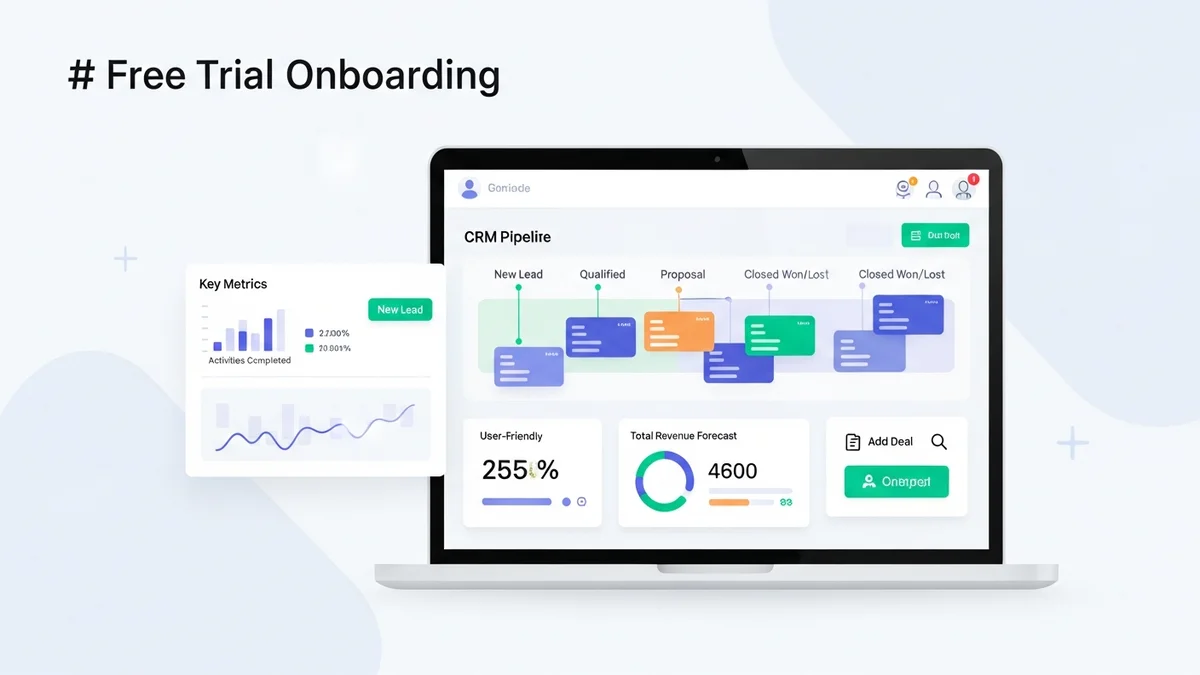
- Visual sales pipeline: The signature kanban-style board where you drag and drop deals between stages. You can create multiple pipelines and customize stages to match your sales process.
- Two-way email sync: Connect your Gmail or Outlook account to send and receive emails directly from Pipedrive. Open and click tracking is included so you can see when prospects engage.
- Workflow automation: Build automated sequences that trigger actions when deals move, activities are completed, or contacts are updated. Premium includes up to 150 active automations.
- Lead scoring: Pipedrive automatically scores leads based on engagement and fit, helping your team prioritize the hottest opportunities.
- AI sales assistant: The built-in AI analyzes your pipeline and suggests actions to move deals forward, flagging stale deals and recommending next steps.
- LeadBooster: Includes chatbots, web forms, prospector tools, and live chat for capturing leads on your website. This add-on normally costs $32.50 per month.
- Smart Docs: Create, send, and track proposals and contracts with autofill fields pulled from your CRM data.
- Reporting and dashboards: Access custom reports, deal forecasting, revenue projections, and team performance dashboards.
- Mobile app: Full-featured iOS and Android apps with offline access, activity logging, and push notifications.
How to Sign Up for the Pipedrive Free Trial
Getting started takes less than five minutes. Follow these steps:
- Visit the Pipedrive website and click the "Try it free" button on the homepage or pricing page.
- Create your account using your work email address. You can also sign up with Google or Microsoft SSO for faster onboarding.
- Set up your company profile by entering your company name, team size, and industry. Pipedrive uses this to customize your initial setup.
- Build your first pipeline using the guided setup wizard. Pipedrive walks you through creating deal stages that match your actual sales process.
- Import your contacts from a CSV file, Google Contacts, or another CRM. Pipedrive supports field mapping during import to keep your data organized.
- Invite your team by sending email invitations. Everyone gets their own seat with full Premium access during the trial.
- Connect your email to enable two-way sync, tracking, and the ability to send emails directly from deal records.
There is no contract and no automatic charge at the end of the trial. You will need to actively choose a plan and enter payment details to continue using the platform.
Newsletter
Get the latest SaaS reviews in your inbox
By subscribing, you agree to receive email updates. Unsubscribe any time. Privacy policy.
Tips to Make the Most of Your Trial
Fourteen days goes fast. Here is how to evaluate Pipedrive properly during your trial window so you can make an informed decision:
- Import real data on day one. Testing with dummy contacts tells you nothing. Import at least 50 to 100 real contacts and 10 to 20 active deals so you can evaluate the CRM with actual workflows.
- Get your whole team on board. CRM adoption is the number one predictor of success. Have every salesperson use Pipedrive for their daily activities during the trial, not just the person evaluating the tool.
- Test the automation builder. Create at least two workflows: one that sends a follow-up email when a deal moves to a new stage, and one that assigns activities automatically. This is where Pipedrive saves hours per week.
- Evaluate the mobile app. If your team works in the field or takes calls on the go, download the app and test activity logging, deal updates, and push notifications.
- Build a custom report. Set up a pipeline conversion report and a revenue forecast. If these reports give you the visibility you need, the CRM is working.
- Try the integrations. Connect Pipedrive to the tools you already use, whether that is Slack, Mailchimp, or your accounting software. Check the marketplace for native integrations or test the Zapier connector.
For a step-by-step walkthrough of the platform, see our guide to setting up a sales pipeline.
Pipedrive Free Trial vs Free CRM Alternatives
Pipedrive does not offer a permanent free plan, which means once your 14 days end, you need to pay. If budget is a concern, several CRM platforms offer free tiers that let you use core features indefinitely. Here is how they compare:
| CRM | Free Option | User Limit | Key Limitations |
|---|---|---|---|
| Pipedrive | 14-day trial (Premium tier) | Unlimited during trial | No permanent free plan |
| HubSpot CRM | Free forever plan | Unlimited users | Limited automation, HubSpot branding on forms |
| Freshsales | Free forever plan | Up to 3 users | Basic pipeline, no workflows |
| Zoho CRM | Free forever plan | Up to 3 users | Limited modules, no automation |
The advantage of Pipedrive's trial is that you get to test genuinely premium features, including lead scoring, AI tools, and automation, which free plans from competitors either restrict or exclude entirely. If you are a startup with a budget allocated for CRM, the trial helps you validate the investment before committing. If you have zero CRM budget, the best free CRM options are a better starting point.
What Happens After the Trial Ends?
When your 14-day trial expires, your account enters a grace period. During this window, you can still log in and view your data, but you cannot create new deals, send emails, or use automation. Pipedrive retains your data for a limited time, giving you the opportunity to subscribe to a paid plan without starting over.
If you decide to continue, you choose from four pricing tiers:
- Lite: $14 per seat per month (annual) for basic pipeline management
- Growth: $39 per seat per month (annual) for email sync, automation, and reporting
- Premium: $49 per seat per month (annual) for lead scoring, AI tools, and bundled add-ons
- Ultimate: $79 per seat per month (annual) for unlimited everything
For most startups, the Growth plan at $39 per seat per month is the sweet spot. It includes the automation and email tools that make a CRM genuinely useful without the cost of premium features you may not need yet. Read our full Pipedrive review for a detailed breakdown of each tier.
Conclusion
The Pipedrive free trial is one of the best ways to evaluate a sales CRM in 2026. You get 14 days of full Premium access with no credit card required, which is enough time to import your data, test real workflows, and decide if the platform fits your team. The lack of a permanent free plan is a downside compared to HubSpot or Freshsales, but the trial experience is significantly richer. If your startup is serious about pipeline management and willing to invest in a paid CRM, start the trial, bring your team, and test it with real deals. You will know within two weeks whether Pipedrive is the right tool for your sales process.